The front end a crew actually touches.
LUMA is the fast, yacht-shaped interface a Lutron HomeWorks QSX system doesn't come with out of the box. The keypads and the processor behind the walls already do the work — LUMA runs on a small appliance on board, is reached from a browser on the vessel's own network, needs no app and no internet, and puts every deck, room, scene and colour strip a tap away.
What it achieves is simple to say. Crew set the boat in seconds from wherever they are, and every screen always agrees with every keypad. Guests control their own cabin from a plaque, with no PIN and nothing to install. The ETO commissions the whole vessel from the Lutron Designer report in a single visit, and never touches the Lutron programming.
This is what the crew actually see.
Not a mockup, not a render. A capture of the real software, running on the demonstration vessel layout, scenes and all.
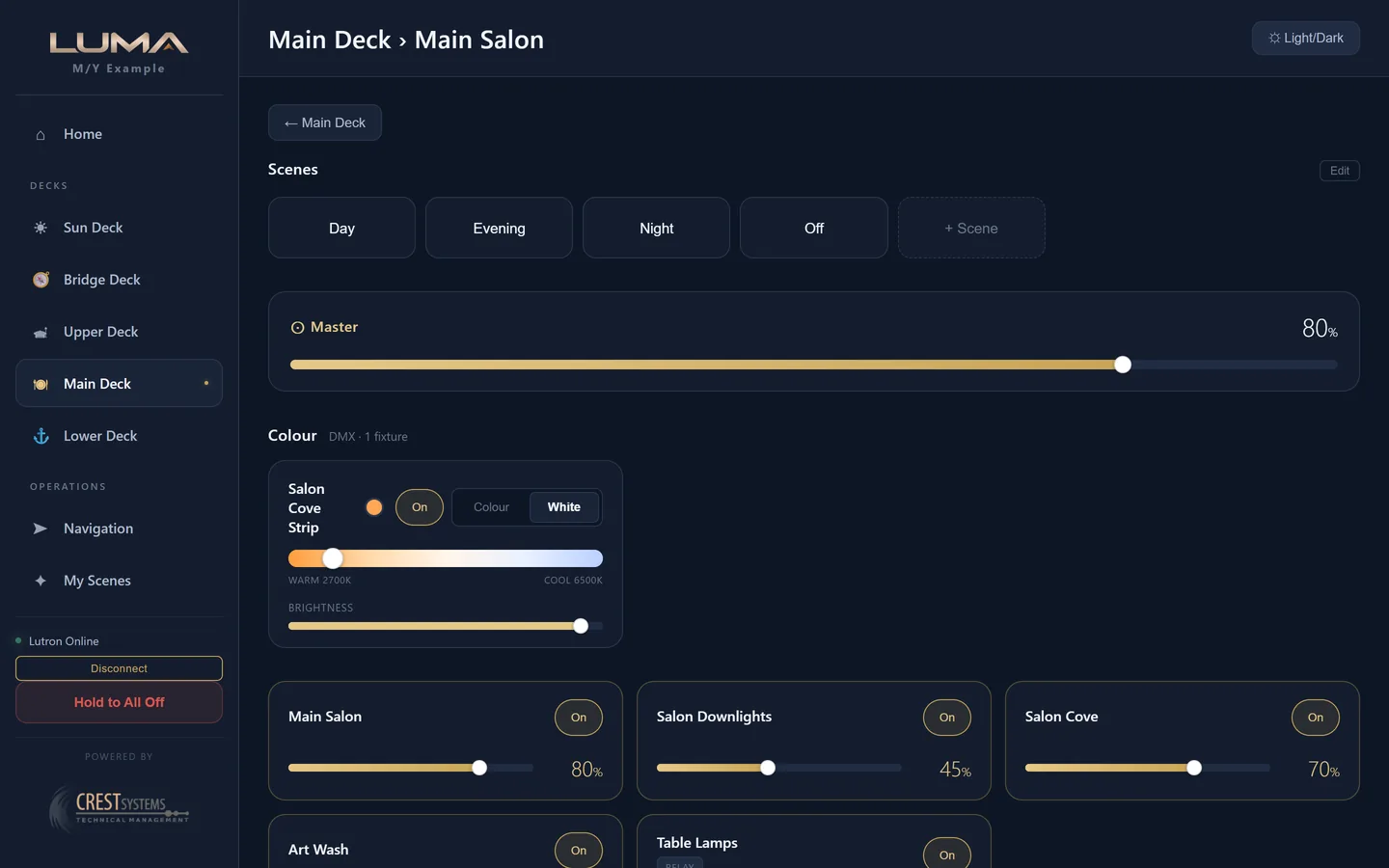
A slider on a tablet moves the light. A keypad on the wall moves the slider.
Press a keypad button and the slider goes there by itself. That is what happens on board: commands go straight to the Lutron processor over its native protocol, and every level streams back in real time, so an iPad on the bridge, a phone in the galley and the keypad by the door always agree.
Crew
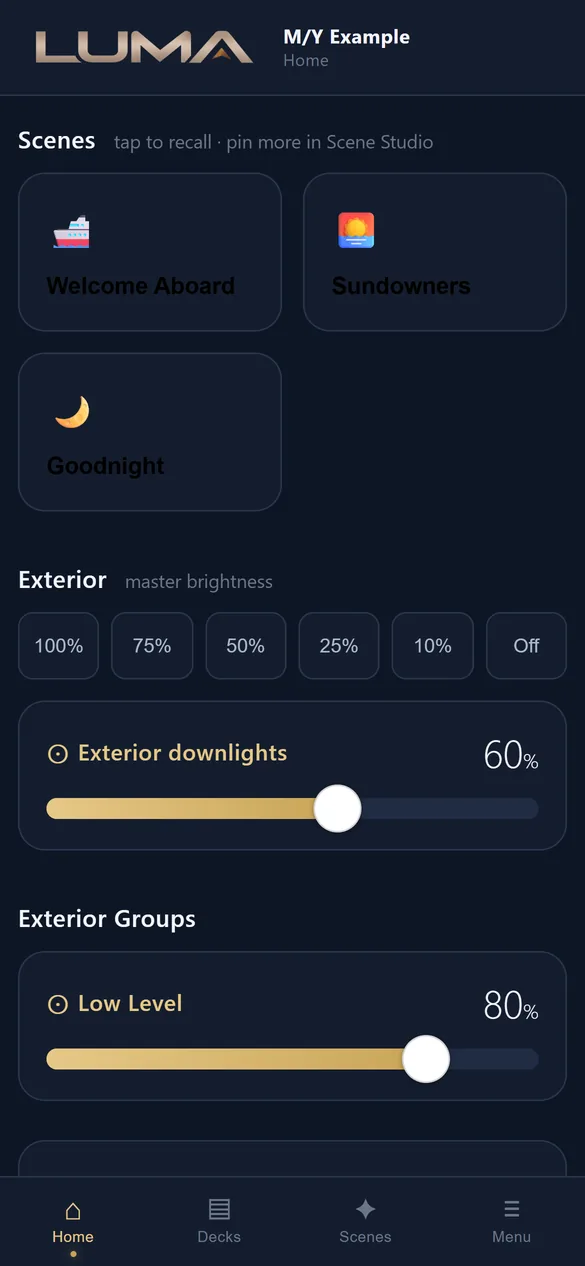
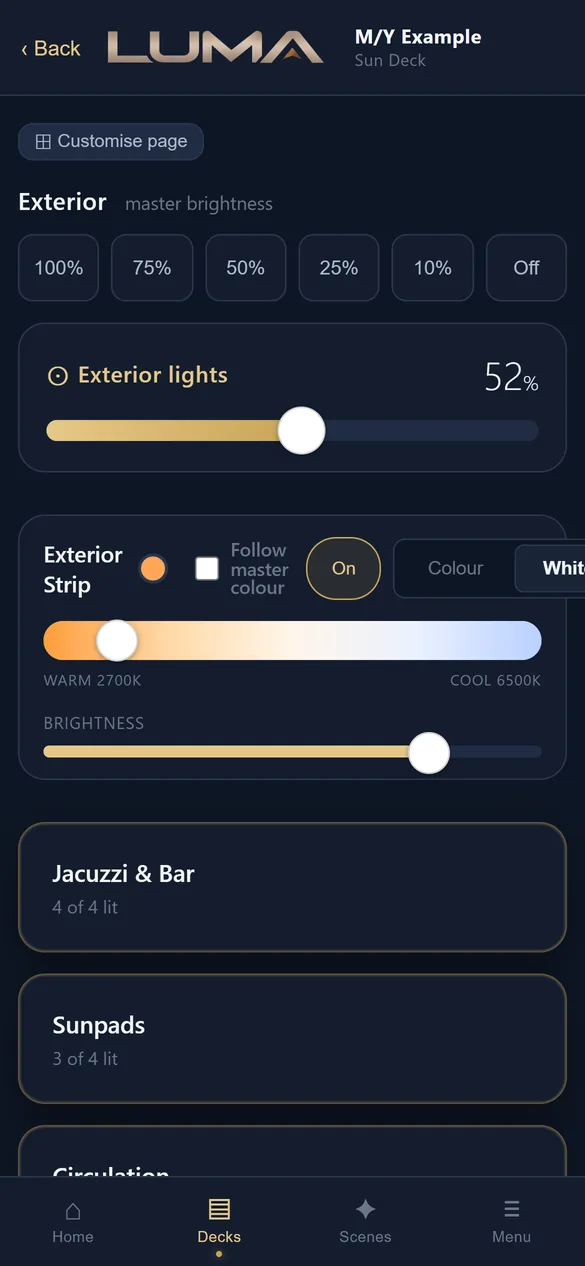
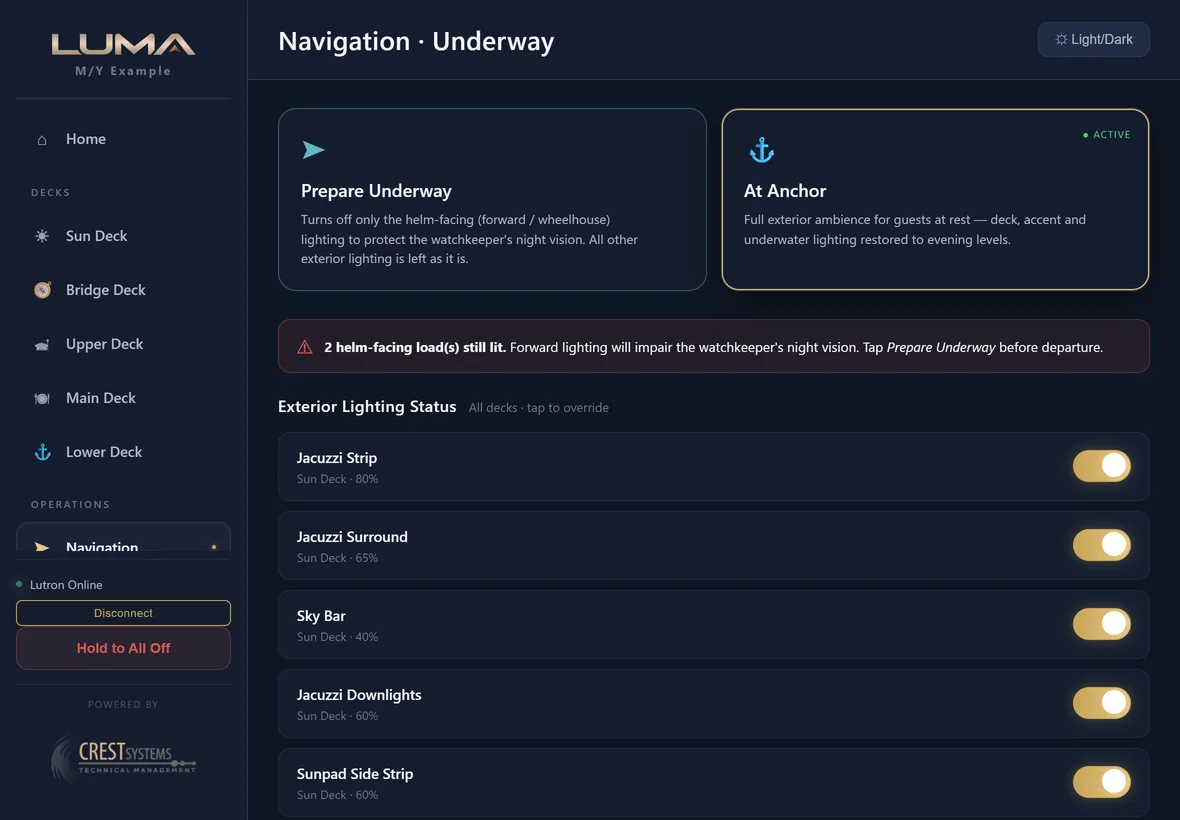
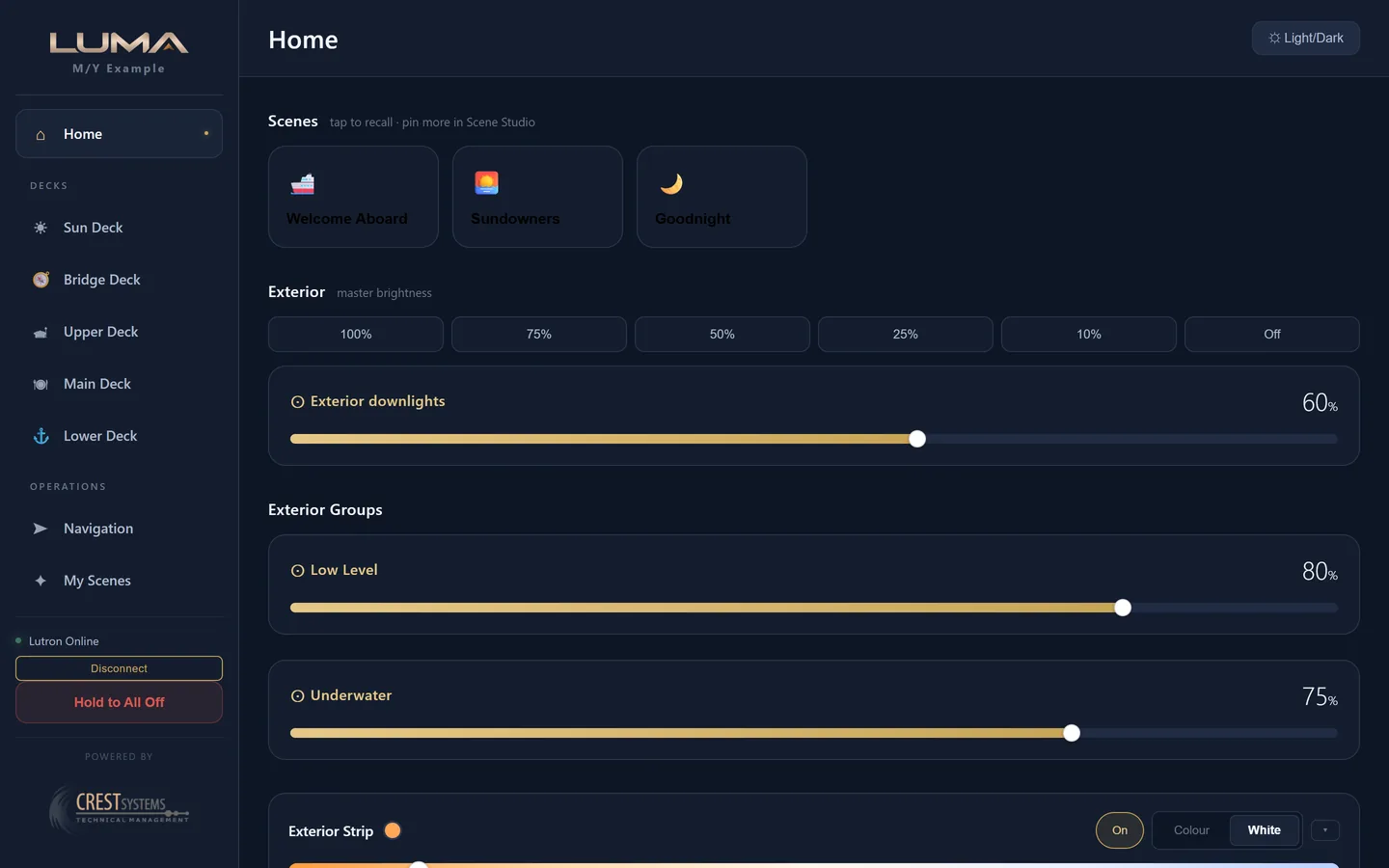
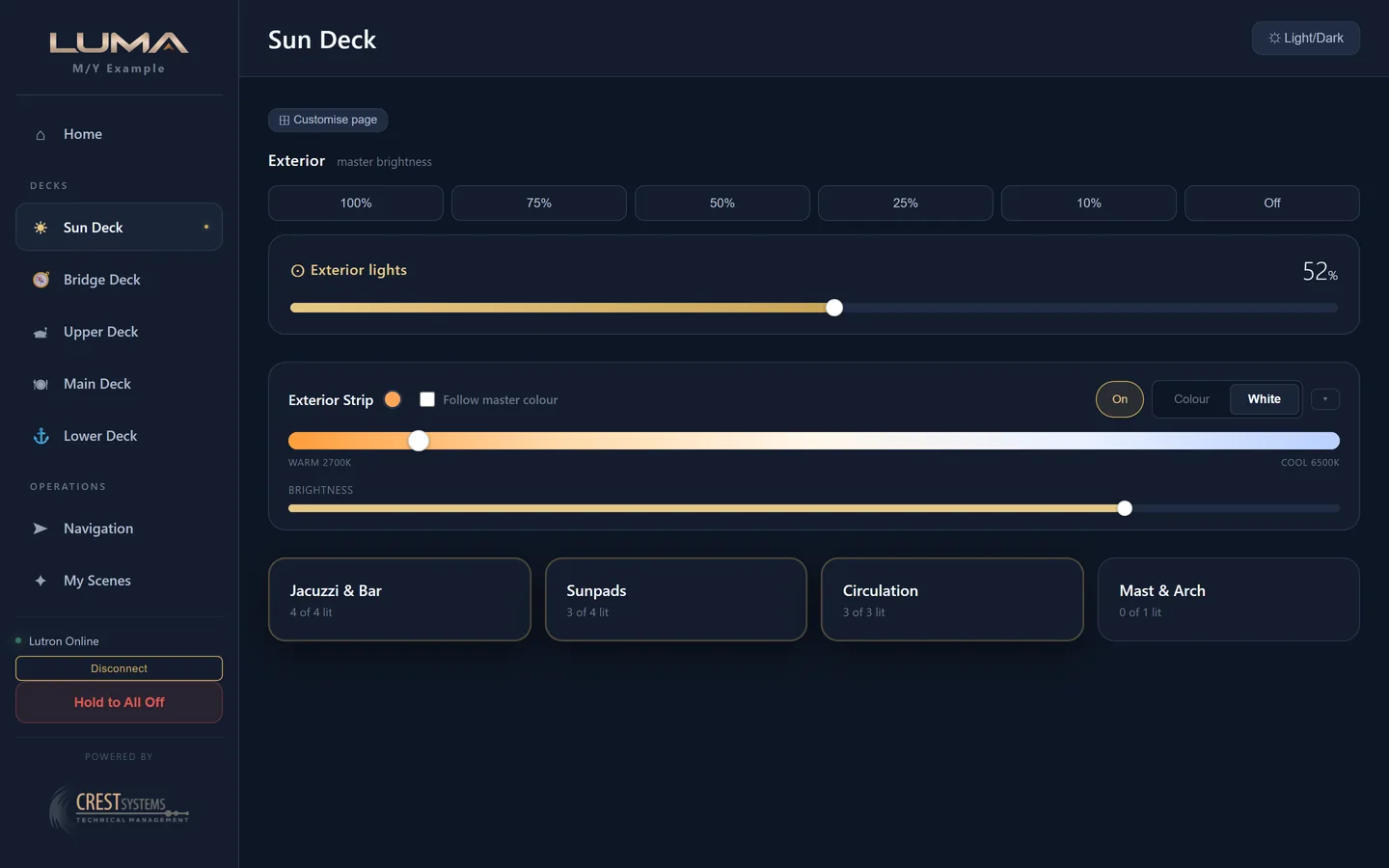
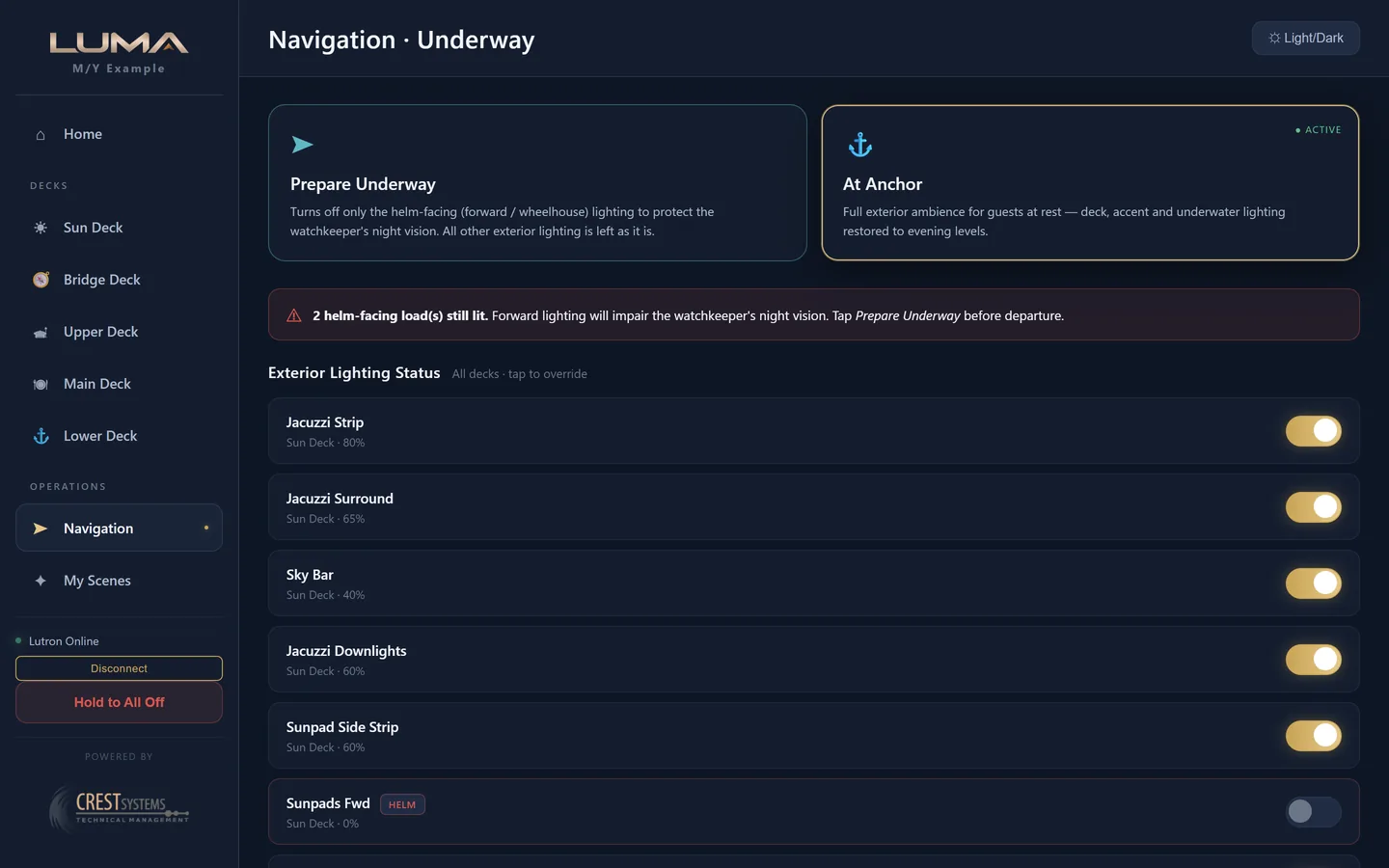
Open a browser on any device on the vessel network and enter the access PIN. Decks, rooms and every load are laid out the way the boat is. Exterior master brightness, deck by deck toggles, a Navigation page with Prepare Underway for the officer of the watch, and a Hold to All Off that leaves private cabins alone.
For crewGuests
Each cabin gets its own QR code and NFC tag on a small plaque. A guest scans it and controls their room only, with no PIN and no app. Codes expire at the end of the charter, and a shared cabin can be split so each guest sees their own space.
For guestsThe ETO
Import the Integration Report from Lutron Designer and the whole vessel structure is built. A seven step Configurator, a first run wizard, a six check connection test. Commissioning is quick, and if the processor reboots LUMA reconnects itself.
For engineersThe same software, at its own size.
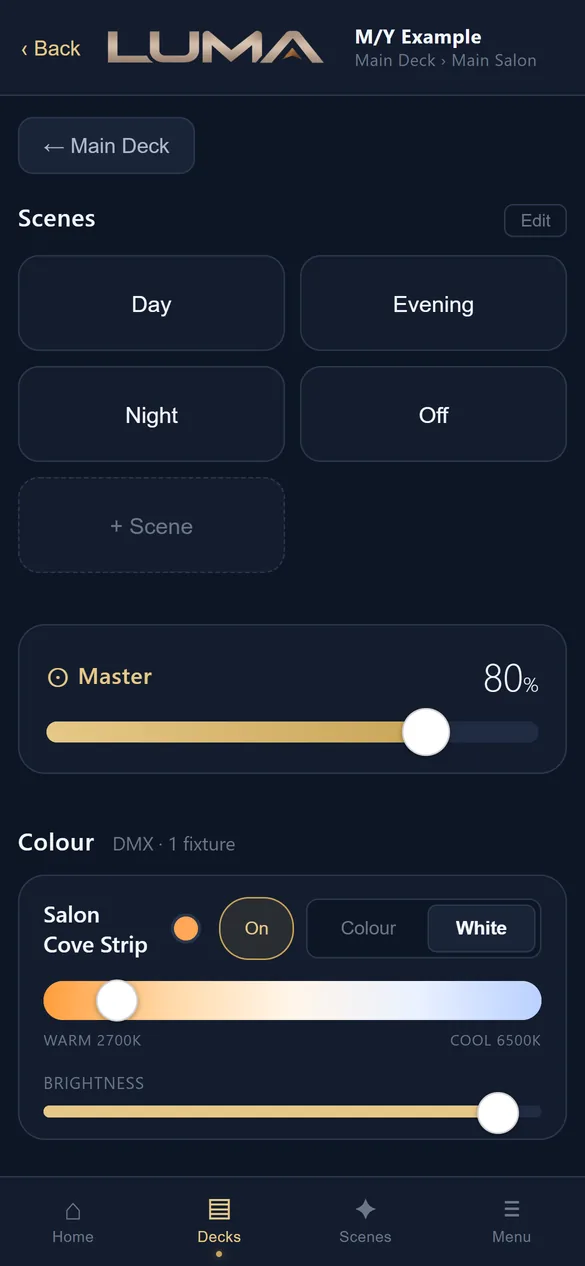
Real captures of the software on the demonstration vessel layout. Pick a device, then a page. See every screen.
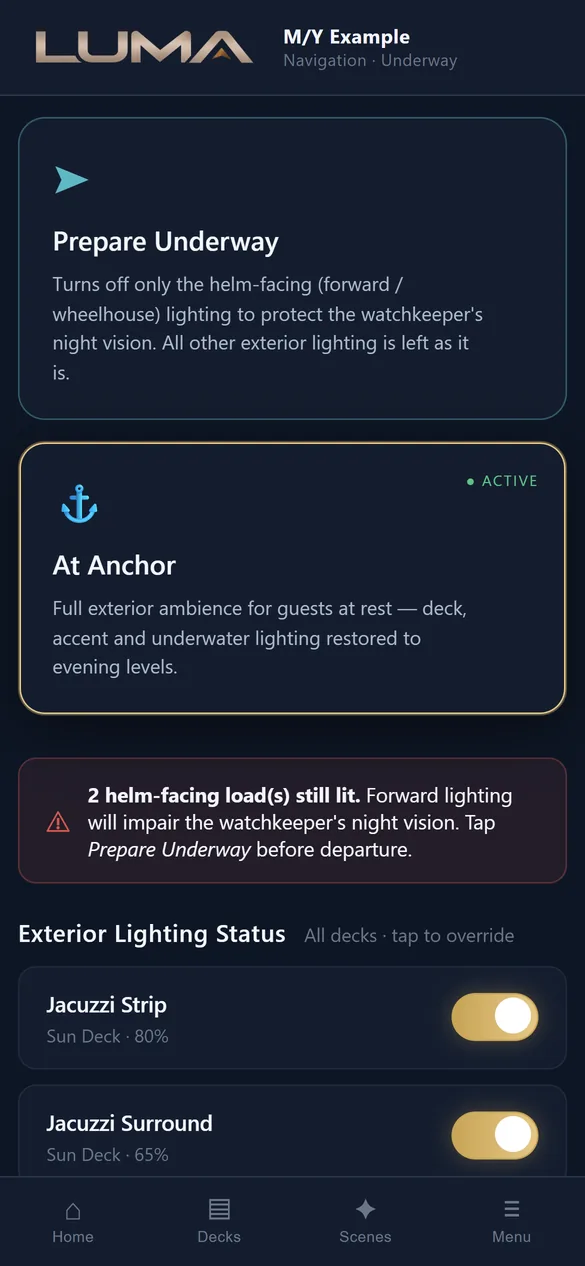
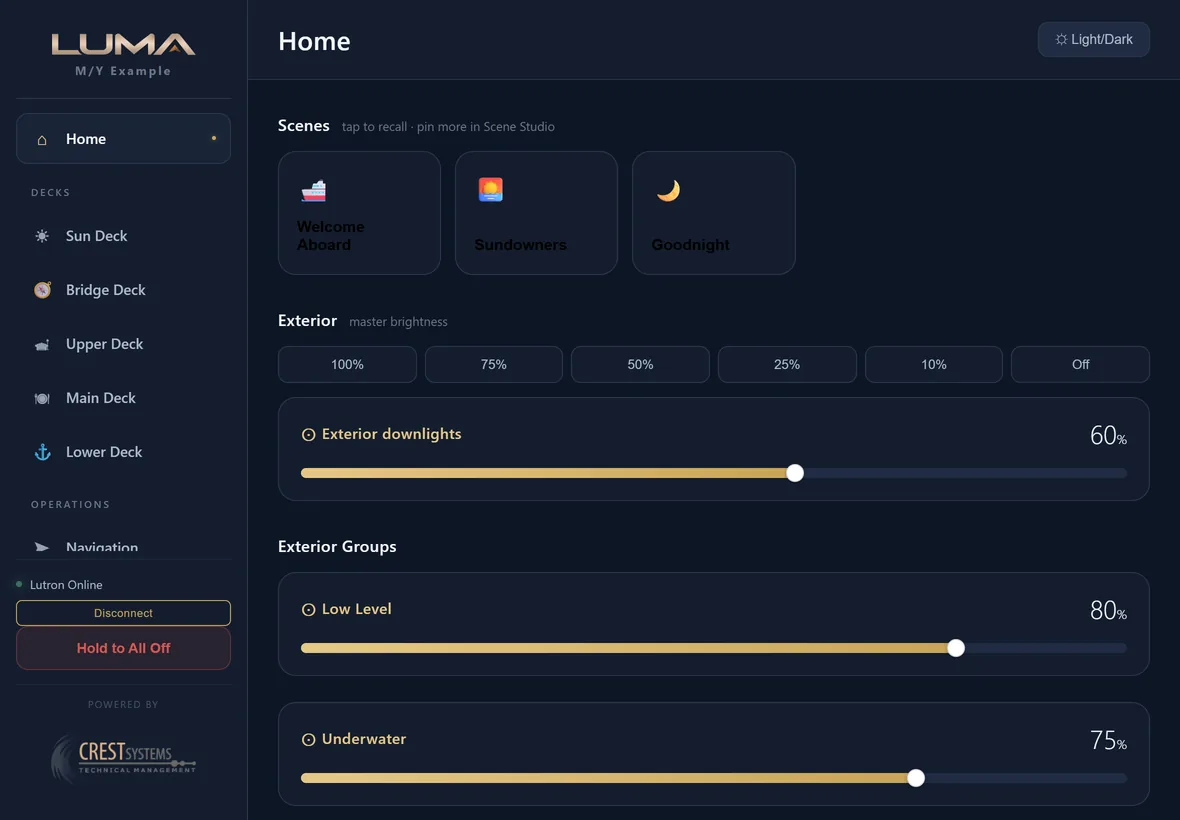
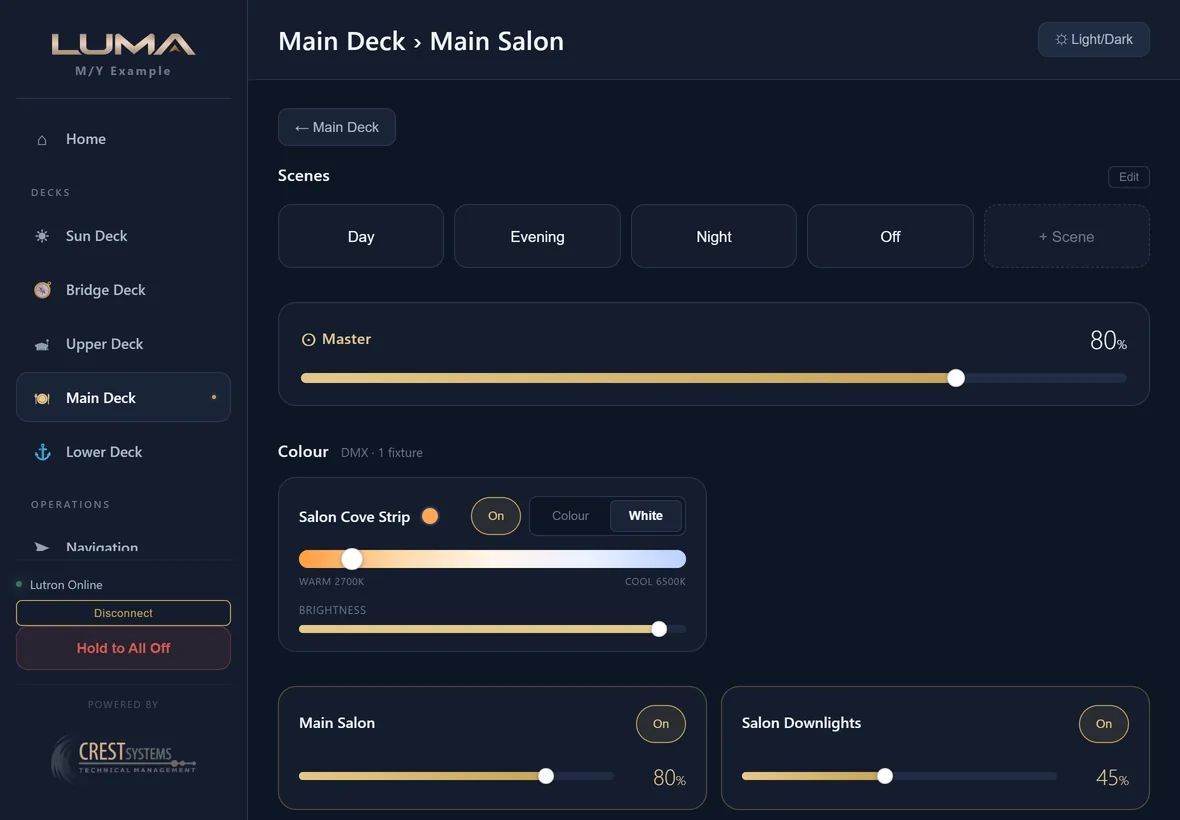
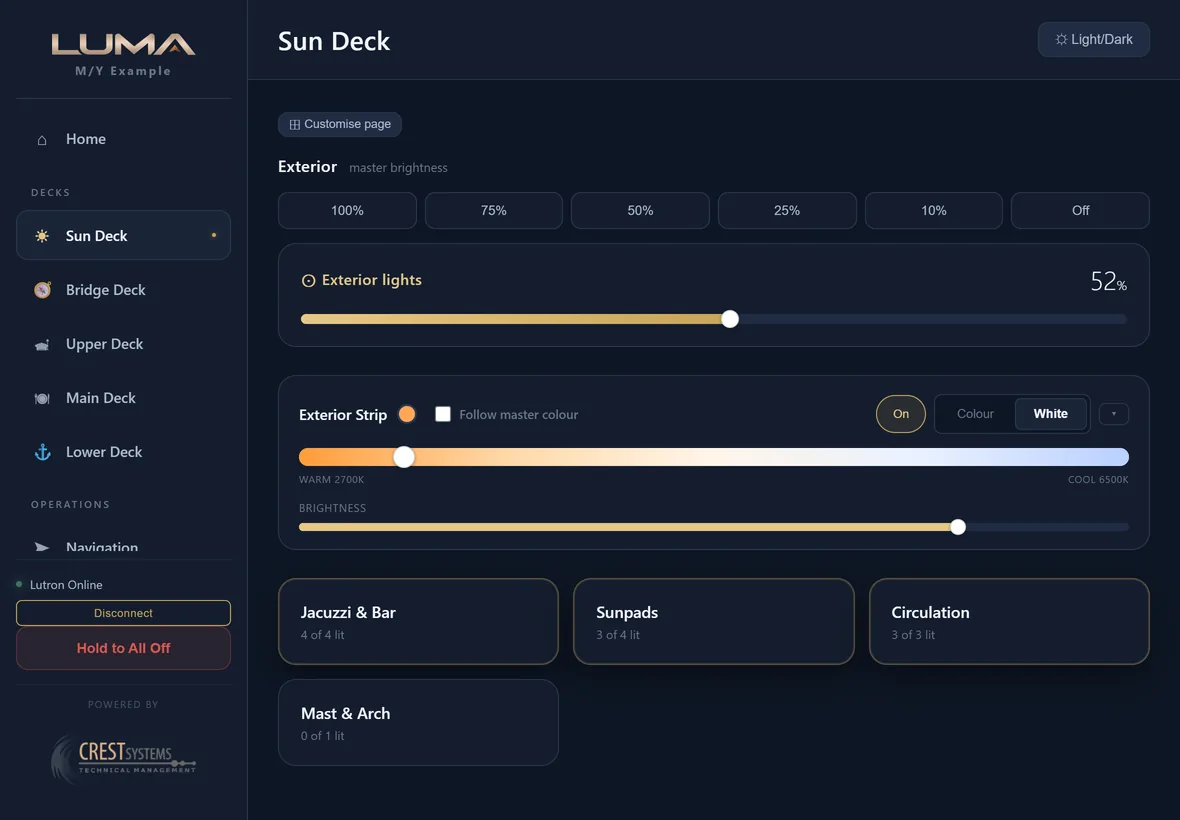
Scan the plaque. Control the cabin.
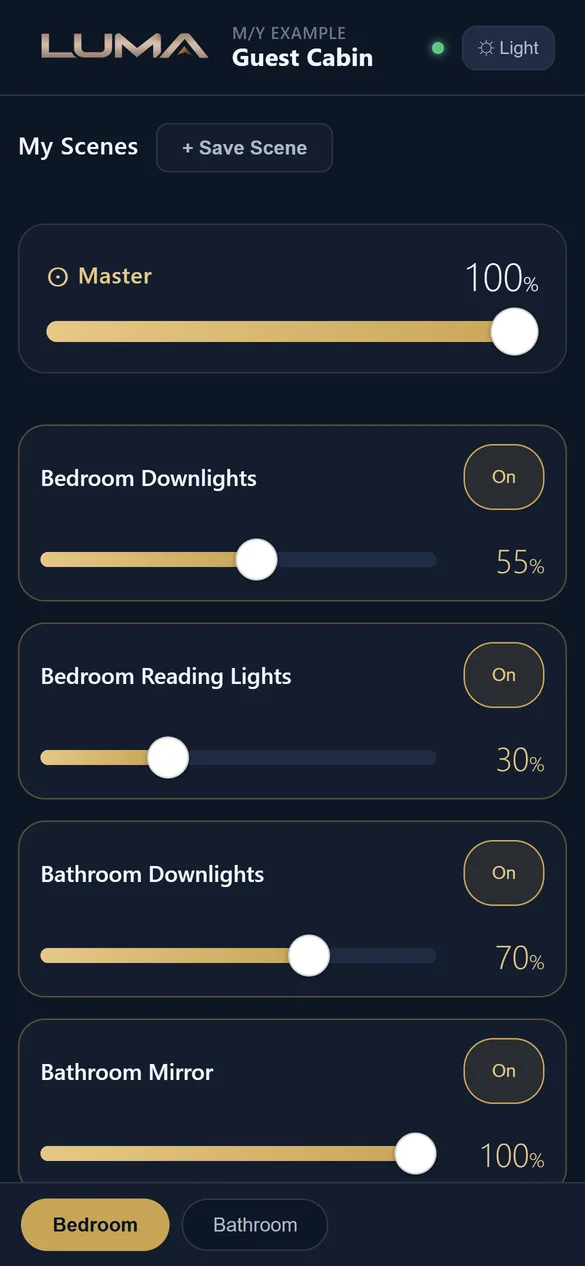
A small plaque in each cabin carries a QR code and an NFC tag. The guest's phone opens their room page on the vessel's own network. They see only their cabin: scenes, a master bar, each light, and colour where there is colour. They can save their own scenes for the week.
- No PIN, no appThe code is the key. Crew never hand out a password.
- ExpiresCodes are set to expire at the end of the charter and can be disabled or regenerated at any time.
- Split cabinsA cabin shared by two guests can be split into Bedroom and Bathroom so each sees their own space.
- PrivateCabins marked private are skipped by global scenes and Hold to All Off.

Plaque shown is a concept render. Table and wall designs in brass, leather, stone and timber are in development. How guest access works.
A small appliance, talking the native Lutron protocol.
LUMA runs on a dedicated appliance on the vessel network and is reached from a browser. It talks directly to the HomeWorks QSX processor, authorised with the integration login you create in Lutron Designer. The physical keypads keep working whether LUMA is there or not.
- Appliance
- A small dedicated computer on the vessel network, with a tray app for status, restart and logs.
- Lutron link, not a workaround
- Talks to HomeWorks QSX using Lutron's own integration protocol. A multi-point connection test confirms it before you rely on it.
- Import
- Lutron Designer Integration Report. Replace all on a fresh vessel, or match into an existing layout.
- Scenes
- Rooms are matched to Lutron areas by name and the scenes programmed in Designer are pulled in. Recalling one tells the processor to run that scene, which executes its own programmed fade.
- Devices
- Any phone, tablet or bridge display with a browser on the vessel network. Encrypted, with a vessel certificate installed once per device.
- PIN-gated, nothing stored on disk
- Access PIN for crew, engineer PIN for the Configurator. Credentials are encrypted and never stored in plain text. Nothing is exposed to the internet.
- Reconnects on its own
- If the processor reboots or the appliance restarts. Works with no internet at all.
- Whole exterior
- All On and All Off fire deck by deck, about 150 ms apart, so the boat lights up in order.
Ask about LUMA for your vessel.
Crest Systems commissions LUMA ourselves or hands it to your ETO with the checklist and the installer. Not sure where to start? Just tell us about the vessel and we'll take it from there.
james@crestsystems.co.uk